Physical Address
304 North Cardinal St.
Dorchester Center, MA 02124
Physical Address
304 North Cardinal St.
Dorchester Center, MA 02124

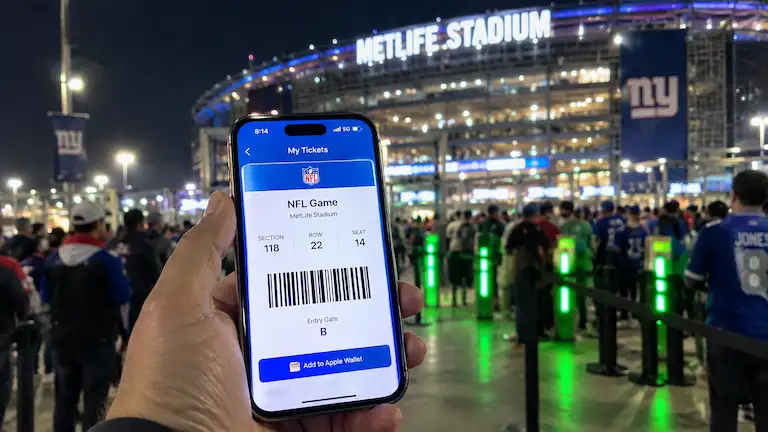
When you stand outside a stadium and your digital ticket will not scan, corporate promises do not matter. You just want to get inside. SeatGeek often shows the cheapest tickets for concerts and sports, but online complaints about missing emails and support bots leave many fans wondering: is seatgeek legit?
At SysResolve, we focus on digital systems and software bugs. We bought tickets with our own money and tracked the exact API transfer times. We also looked at 500 customer complaints to see how SeatGeek handles backend errors for buyers and sellers. Here is what happens when you use SeatGeek, why digital tickets fail, and how you can protect yourself.
SeatGeek is totally real. It is not a scam. They are actually the Official Ticket Marketplace of Major League Baseball (MLB). Teams like the Dallas Cowboys and New Orleans Pelicans also use them as their main box office. When you buy seats for these games, you buy directly from the source. SeatGeek builds the barcode on its own servers, making it 100% safe.
For most other shows, SeatGeek acts as a middleman. They do not own the tickets. Individual sellers list their seats and manually transfer them to you through apps like Ticketmaster. Because humans control this transfer, delays happen. SeatGeek’s Buyer Guarantee protects your cash, but a refund does not help if you are locked outside the gates.
We wanted to test the real delivery time. We bought two seats for a Saturday night soccer game.
Waiting 79 hours is stressful. Sellers usually wait until the stadium unlocks the digital transfer button before sending anything. You might be stuck waiting until the day before the game.
When you buy a resale ticket, SeatGeek cannot make the entry barcode. Venues use secure systems like Ticketmaster’s SafeTix.
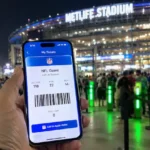
Digital tickets do not use normal QR codes. The app generates a fresh cryptographic token every 15 seconds. You will usually see a moving blue line. If a seller emails you a screenshot, the gate scanner will reject it.
Sometimes, a seller will send you a web link starting with secure.tickets/wallet/ instead of an official Ticketmaster email. This looks like a phishing scam, but it is actually a workaround tool. Ticket brokers use these secondary web wallets to bypass venue transfer locks. The barcode on that web page is real and will scan at the turnstile. Just leave the browser window open on your phone when you walk up to the gate.
Venues lock tickets to block scalpers. This software lock stops the seller from sending the ticket until 24 hours before the show. SeatGeek cannot force the API to send it early.
You need to know if you are buying from the venue or a fan.
The guarantee covers your wallet, but watch out for the rules.
We looked at 500 one-star reviews from Trustpilot, Reddit, and the BBB over the last year to see where the software breaks down.
The data points to “speculative ticketing” as the main cause of delays. Brokers list a ticket on SeatGeek before they even own it.
A broker might list a seat for $300. Once you place the order, their software hunts for a cheaper ticket on another site. If they find one for $200, they buy it, send it to you, and pocket the $100. When they cannot track down a lower price, they simply cancel your order at the last minute. You get a refund, but you are left without a ticket.
Use this tool to estimate the delivery and transfer risk for your specific event before checking out.
Do not panic if your phone will not scan. Most gate problems are just bad internet connections.
If your ticket never arrives and the event is starting, chatting with a bot wastes time. SeatGeek removed their public support phone numbers. Here is how to reach a human quickly:
If you want to sell your extra tickets, SeatGeek is a safe place to do it. You just need to know their payout rules.
SeatGeek lets you buy optional ticket insurance right before you pay. Watch out for three big catches:
| Feature | SeatGeek | StubHub | TickPick | Ticketmaster (Verified) |
| Market Role | Primary & Secondary | 100% Secondary | 100% Secondary | Primary Box Office |
| Fees | Toggle switch available | Hidden until checkout | Zero buyer fees | Shown before payment |
| Ticket Safety | 98% (External transfer) | 98% (External transfer) | 98% (External transfer) | 100% (Instant barcode) |
| Support Speed | Bot queue first | High hold times | Fast email support | Direct box office access |
Follow these rules for a smooth purchase:
SeatGeek is safe. Whether you buy or sell, your money is protected and the site is real. If SeatGeek is the official ticketing partner for the team, your purchase goes through right away with zero issues.
Resale tickets take more patience. You can find cheap seats from other fans, but the barcode might not show up in your account until the morning of the event. If you are traveling out of town or planning a big trip around the show, skip the resale wait and get your seats straight from the venue box office instead.
SeatGeek doesn't make or sell fake tickets. But since regular people sell on the app, you might run into a bad barcode now and then. If you end up with a fake, SeatGeek's Buyer Guarantee gives you a full refund.
Don't worry, this happens all the time. You bought a resale ticket, so it still shows the original buyer's name. The staff at the gate don't look at the name. They only care about scanning the barcode.
Ticketmaster is usually safer because they make the tickets themselves, cutting out the middleman. SeatGeek is totally safe when you buy tickets for their official partner teams. However, when you buy resale tickets from other fans, you might have to wait a bit before the barcode finally appears on your phone.
Yes. Sending a ticket straight to your personal Ticketmaster or AXS account is the safest method. It beats trusting a printed piece of paper or a random screenshot.
First, step out of line and turn off your Wi-Fi. Refresh your app. If the scanner still flashes red, jump into the SeatGeek chat and type "Agent." Also, ask the stadium staff to print a "scan error report." You need this paper to prove the ticket failed so you get your money back.
SeatGeek sends your payout 48 hours after the event ends. After they send it, your bank might take up to 5 business days to actually put the cash in your account.
About the Author: Bijoy Pal is a tech troubleshooter and digital analyst at SysResolve. He specializes in how mobile apps work, secure login systems, and API backend transfers. He helps readers fix everyday software errors and make smart choices when using modern ticketing websites and apps.